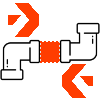
Remove a pipe or duct segment between two fittings — and the downstream run reconnects automatically. Three deletion modes cover every layout edit, with full 3D slope preservation.
Pick a segment, pick which side stays — Delete Segment removes the right elements and stitches the run back together. Works on pipes and ducts, flat or sloped, in a single transaction.
Click the pipe or duct you want to remove, then click closer to the side you want to keep. That's it — the tool figures out the rest. No multi-step selection, no property dialogs.
Pick · Pick · DonePick the exact scope: segment plus the far-side fitting (with auto-reconnect), segment plus both fittings (open ends both sides), or segment only (leave both fittings in place).
1 · 2 · 3In default mode the downstream run shifts to meet the fixed connector and ConnectTo() restores system topology. No orphaned segments, no dangling network ends to clean up.
The translation math is fully 3D — sloped pipes, drainage runs, and inclined duct sections all preserve their pitch when the downstream side reconnects.
Vector mathWorks against any PipeFitting or DuctFitting family — flanges, couplings, transitions, elbows, tees. One filter, one command, both disciplines.
No fitting on the moving side? Already-open connector? No downstream element? Each is detected up-front and the tool degrades gracefully instead of failing mid-transaction.
Safe by defaultA compact, MOTION-SITE-standard window lists the three deletion modes as labeled option cards. Hover highlights the selection — click commits, Esc cancels.
The default. Deletes the selected segment and the fitting on the moving side. The downstream run is translated to meet the fixed fitting and the network is reconnected via ConnectTo().
Removes the segment plus the fittings on both sides. Both neighbouring runs are left with clean open ends — ideal when you plan to reroute manually.
Deletes only the selected segment. Both fittings stay put with open connectors, and nothing is moved. The lightest-touch option.
After choosing a mode, click the pipe or duct closer to the end you want to keep. That click tells the tool which fitting is fixed and which side of the run will be translated.
A task dialog summarizes what will be deleted and what will move before you commit. Click Yes to run the operation in a single Revit transaction.
If the moving side has no fitting, the pipe is deleted and nothing is moved. If the downstream element isn't a fitting, the fitting is preserved. Open ends are detected up-front.
Lives in the MotionSite tab under the Modeling Tools panel. Large icon, two-line label — same visual language as every other tool in the suite.
Delete Segment ships as a bundled MSI package. Run the installer and the add-in registers itself in the MotionSite ribbon — no manual file copying, no .addin editing, no Revit restart loop.
Obtain the latest DeletePipeSegment-Setup.msi from your Motion-Site distribution package.
Double-click the MSI and follow the prompts. The installer detects your Revit version and places all files in the correct add-ins folder automatically.
Open any Revit project. The MotionSite tab appears in the ribbon — click Delete Segment inside the Modeling Tools panel.